


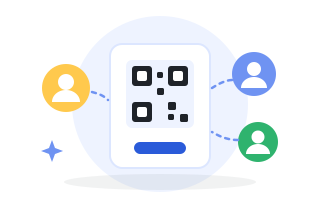

Invite by link or QR
Staff join your store by scanning a code. No manual account setup.
Staff clock in from their phone at the store. You approve missed punches in one tap and export payroll-ready hours in seconds — not the last weekend of the month.
Free for the first 1,000 businesses · No credit card · Set up in about 10 minutes
See how it worksMost small teams lose hours every pay period reconstructing who worked when.
No hardware, no installation day. Three steps and your team is clocking in.
Sign up with your work email, name your store, and set working hours and grace periods.
Share an invite link or QR code. Staff install the app and join your store in under a minute.
Watch attendance live, approve corrections, and export a clean CSV at the end of each pay period.
A big, clear clock-in button with the current time. Punch can confirm staff are on the store Wi-Fi or inside a GPS geofence before accepting a punch.
When someone forgets to clock out, they submit a correction with a reason. You approve or reject it from your phone or the web console.
Daily, weekly, and pay-period totals split regular hours from overtime. Export a CSV your accountant or payroll system can use directly.
What a normal shift looks like — including the punch someone forgets.
Her phone is on the café Wi-Fi, so the punch is accepted instantly.
Breaks are tracked inside the shift, so unpaid time is left out automatically.
Punch flags the missing punch and sends him a reminder.
“Left at 17:45, forgot to clock out.” Sent from his phone in seconds.
One tap. The original punch and the change both stay on record.
Regular and overtime totals per person, exported as a CSV.
Example scenario
An honest look at the three ways small teams track hours.
| — | Paper timesheets | Spreadsheets | Punch |
|---|---|---|---|
| Records the exact time of every punch | Not possible | Manual work | Built in |
| Confirms staff are at the store | Not possible | Not possible | Built in |
| Missed punches fixed with a reason and approval | Not possible | Manual work | Built in |
| History of every change | Not possible | Not possible | Built in |
| Regular and overtime totals | Not possible | Manual work | Built in |
| Payroll-ready CSV export | Not possible | Manual work | Built in |
| Staff can check their own hours | Not possible | Manual work | Built in |
Staff join your store by scanning a code. No manual account setup.
See who is working, on break, or hasn’t started — right now.
Set start and end times, grace periods, and working days per store.
Managers can record a punch for staff who don’t have their phone.
Push reminders for missed clock-ins, clock-outs, and pending approvals.
Open the web console on any computer and sign in by scanning a QR code with the app.
Punch fits businesses with 5–50 hourly staff working from a fixed location.
Split shifts, late closes, and kitchen staff who forget to clock out.
Learn moreEarly opens, part-time baristas, and hours scattered across chat messages.
Learn moreMultiple locations, opening and closing shifts, and managers who need visibility.
Learn moreStylists on varied schedules and hours that must match payroll exactly.
Learn moreShift work, breaks that need tracking, and overtime that adds up fast.
Learn moreTry our free time card calculator. Enter clock-in and clock-out times, subtract breaks, and get weekly totals with overtime — no sign-up needed.
Open the calculatorEvery feature, unlimited staff, no credit card. Founding businesses use Punch free until paid plans launch.
See the offerStaff clock in, take breaks, and clock out from their phone. Managers see attendance in real time, resolve missed punches, and export a clean timesheet for payroll.
Yes, for the first 1,000 businesses. Founding businesses get every feature free until paid plans launch, and we will give at least 30 days’ notice before anything changes.
No. Punch runs on the phones your staff already have, plus a web console for managers. Optional Wi-Fi and GPS geofence checks help confirm staff are at the store.
Yes. Punch compiles daily, weekly, and pay-period totals with regular and overtime fields, and exports them to CSV for your accountant or payroll system.
They submit a correction request with the missing time and a reason. A manager approves or rejects it, and both the original punch and the change are kept in the audit trail.
Most stores are set up in about 10 minutes: create your account, set working hours, and share an invite code with your team.
The app, the web console, and this website are available in English, Spanish, French, German, Italian, Dutch, Portuguese, Chinese, Japanese, and Korean.
Set up your store in minutes. Staff clock in from their phone, and you export clean hours for payroll.
Free for the first 1,000 businesses · No credit card · Set up in about 10 minutes